
monday.com
Have a workspace admin install MESA's app in monday.com, then connect your account to build workflows that update boards and items.
Connection
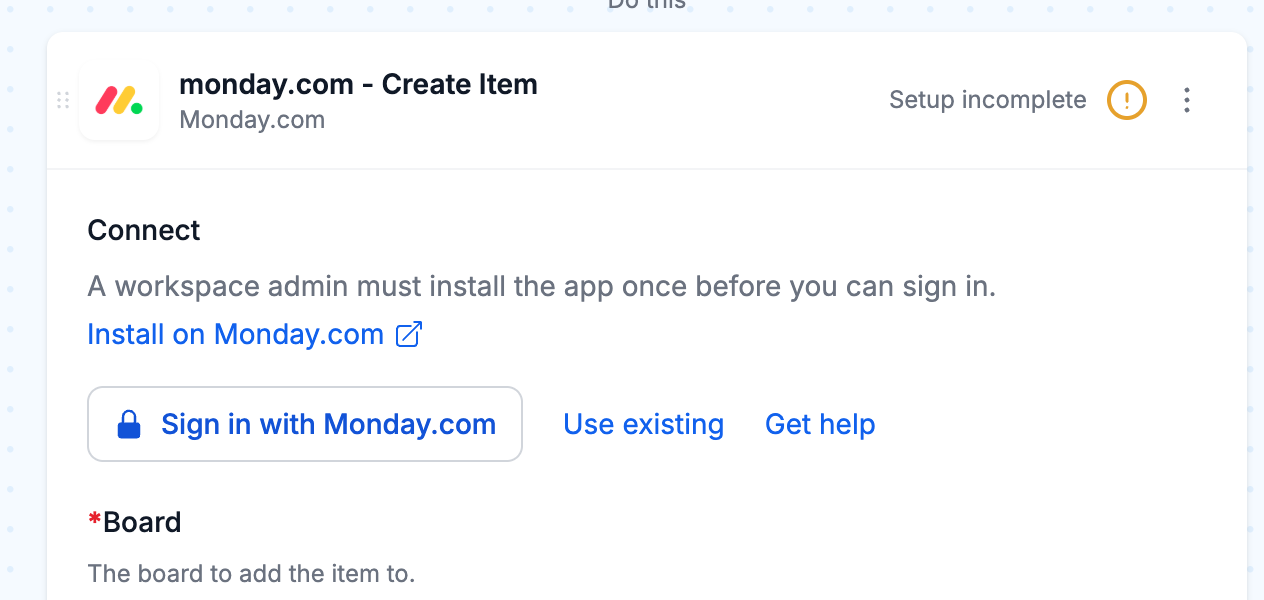
Section titled “Connection”When you’re setting up your first workflow with monday.com, you will need to create a Connection in order to connect MESA with monday.com.
A monday.com workspace admin installs MESA’s app once for the whole workspace. After that, everyone in the workspace can connect.
- If you are the admin and MESA’s app is not installed yet, click Install on Monday.com in your monday.com step.
- In monday.com, approve the app.
- Back in your monday.com step, click Sign in with Monday.com.
- In the monday.com window that opens, approve MESA.
After that, choose the same connection in any monday.com step. To connect another account, open the connection menu and click Add another connection.
Configure
Section titled “Configure”Triggers
Section titled “Triggers”monday.com triggers check a board for changes on a schedule. Choose the board to watch, and how often to check under Repeats.
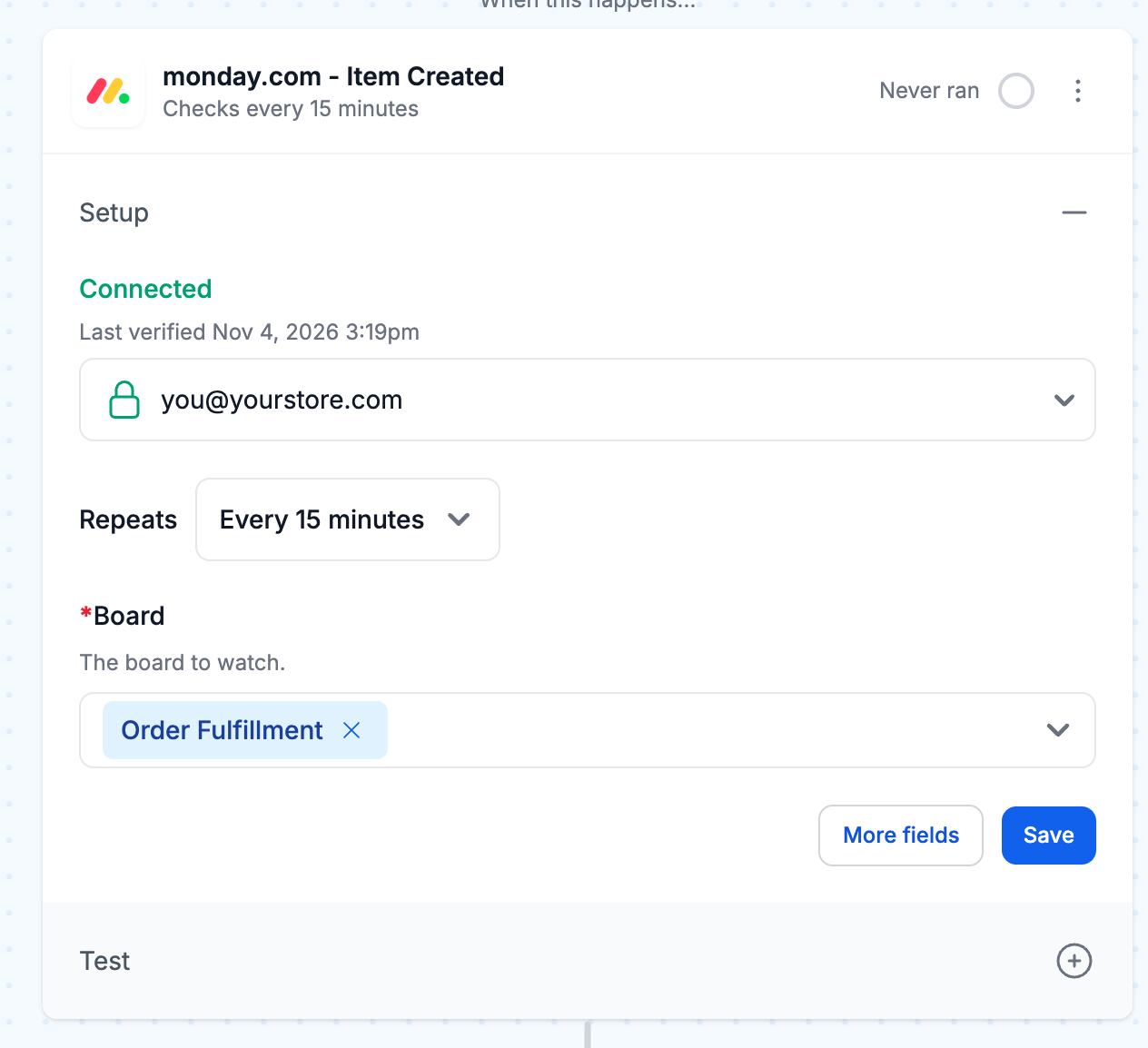
- Items: Created, Name Updated, Column Value Updated, Moved To Group, Archived and Deleted.
- Subitems: Created, Name Updated, Column Value Updated, Archived and Deleted.
- Columns: Created.
Retrieve fields from your board
Section titled “Retrieve fields from your board”In the Create Item action, choose a board and click Retrieve Fields. MESA adds one field for each column on the board, such as status labels, dates and numbers, so you can fill every column in one step.
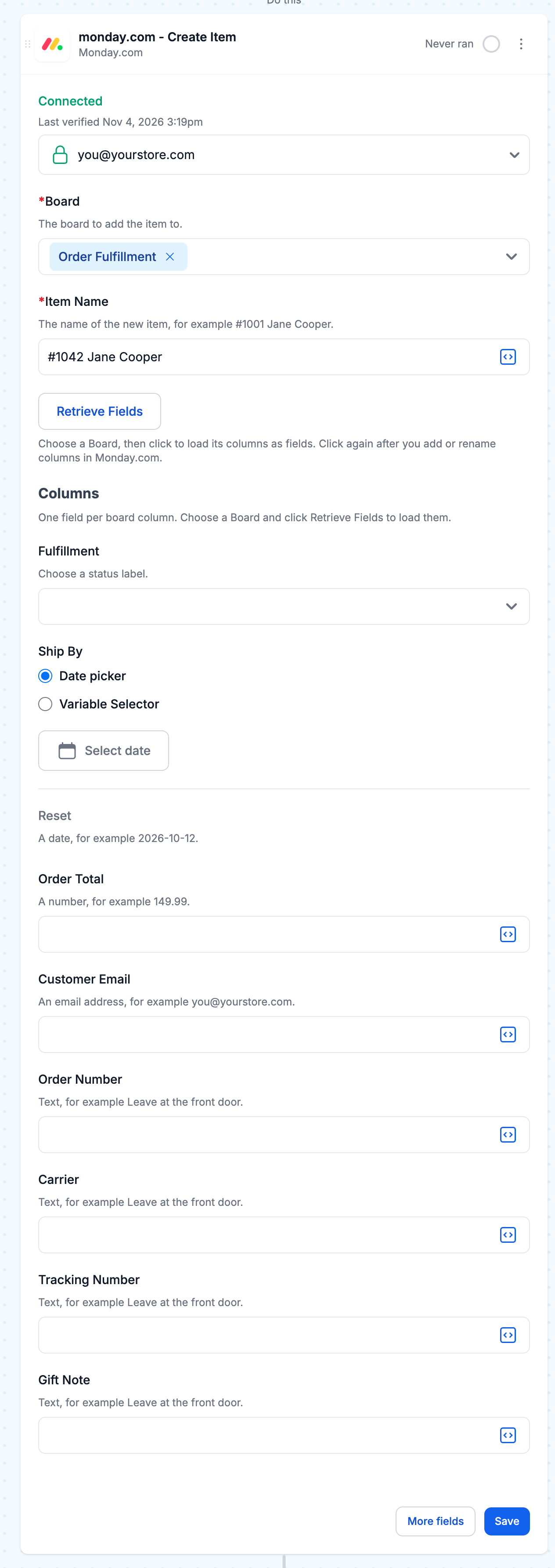
Click Retrieve Fields again after you add or rename columns in monday.com.
To change one column on an existing item, use the Update Item action. Choose the column, and the value field offers choices that match it, such as the labels of a status column.
Technical Notes
Section titled “Technical Notes”- monday.com triggers check your board on the schedule you choose under Repeats, so a change shows up in MESA at the next check. Each check picks up every change since the one before.
- Updates and replies on an item can’t start a workflow. monday.com triggers read the board’s activity log, which covers items, subitems and columns but not updates and replies.