
Package Tracking
Run MESA workflows on shipment events like In Transit, Out for Delivery or Delivered, and look up tracking details with the Package Tracking tool.
The Package Tracking tool allows you to account for shipping information via tracking numbers in your workflow.
This helps you structure workflows based on up-to-date tracking information.
Configuration
Section titled “Configuration”Shipment triggers
Section titled “Shipment triggers”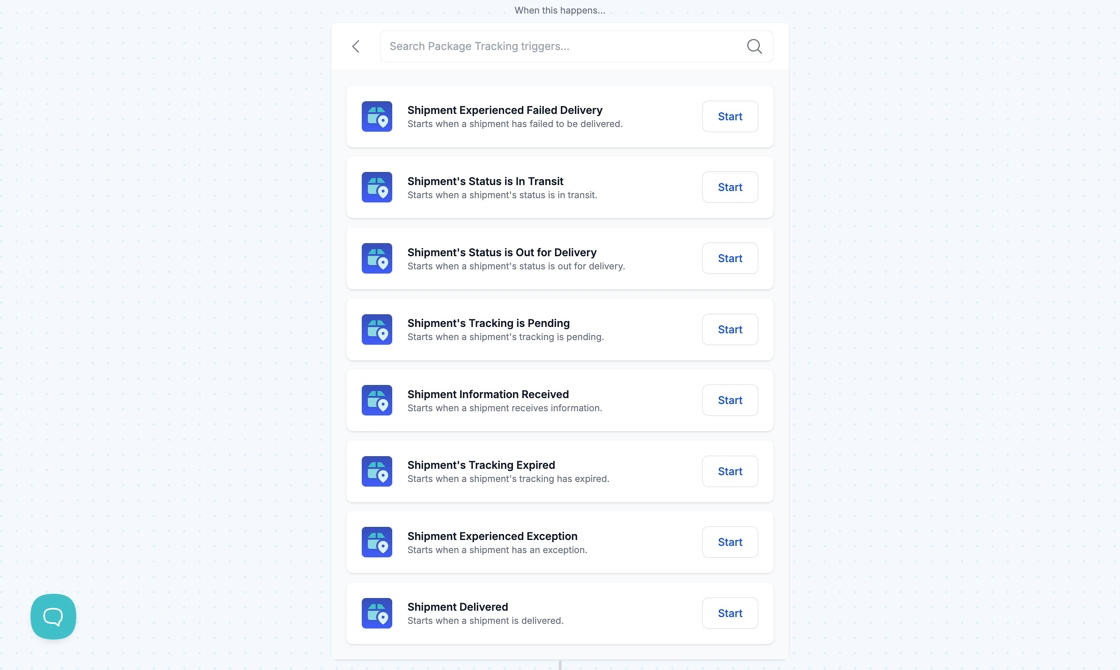
You can run workflows based on certain shipping updates such as: Information Received, In Transit, Out for Delivery, Failed Attempt, Delivered, Exception, Expired, and Pending.
Track Package action
Section titled “Track Package action”You can retrieve information relating to a shipment’s current status by using the Track Package action.
When Shopify (or another e-commerce platform like Square) receives a new order with a tracking number, the Track Package action can track the shipment and allow you to filter based on different tracking states.
Technical Notes
Section titled “Technical Notes”If you track a tracking number and attempt to track it again it’s going to throw you an error. Any subsequent update needs to come from the trigger.